

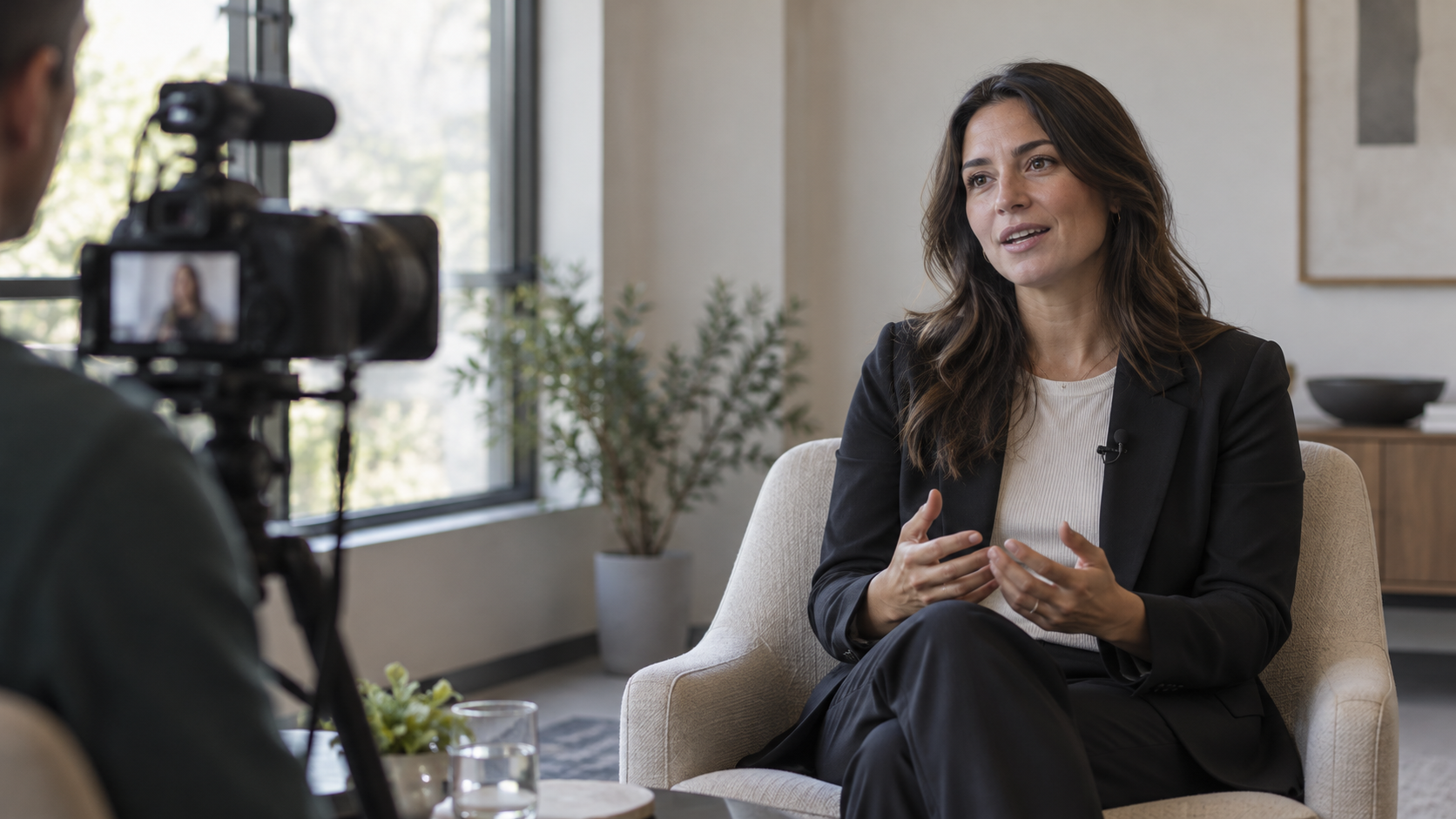
A customer interview video earns trust through detail, not praise. It helps a buyer understand what was happening, how a decision was made, what changed in the customer’s work, and which evidence supports the result. The production job is to capture a candid account without turning the customer into a scripted spokesperson.
This guide focuses on the interview, shoot and edit. For the broader proof asset, see how a customer case study differs from a testimonial; for public use of customer names and quotes, see the approval workflow for customer proof.
Start with the buyer question, not the camera
Before booking a room or crew, write a short production brief. Name the audience, the question they are trying to answer, the customer experience that can help, the evidence available, and the next useful action. A video for a skeptical operations lead needs different footage from a founder story intended to introduce a company.
Use a one-sentence objective such as: “Help a finance operations leader see how a peer changed invoice review and what the team had to adjust.” That sentence becomes a filter for guests, questions, shots, editing and placement. If the brief contains several unrelated objectives, split the asset or choose the decision that matters most.
Choose a story the customer can substantiate
A recognizable brand is not enough. Invite someone who directly experienced the workflow and can describe their own role, the situation before the change, the work involved, and what they can verify now. An honest account of implementation friction can be more useful than a polished claim of effortless transformation.
Confirm participation, name and likeness use, the approved company name or logo, intended channels, review boundaries, and the owner of any numeric claims before filming. Keep a record of what the customer approved. A production release does not automatically prove that every performance statement is accurate or that every later edit fits the original permission.
Wistia’s production guidance for external guests emphasizes preparation and clear logistics; its advice on directing non-actors also treats comfort and a ready-to-run setup as part of the shoot plan. Adapt that principle to the customer’s schedule and approval process instead of asking them to memorize marketing copy.
Build an interview map instead of a testimonial script
Send the participant the topic areas and practical details in advance: timing, location or remote setup, who will be present, what will be recorded, and how review works. A short preparation call can identify sensitive details and help the guest recall specifics. Share prompts, not prewritten answers.

- Context: What were you responsible for? What process or constraint made the issue visible?
- Decision: What options did you consider? Who needed to be involved, and what mattered most?
- Use: What changed in the day-to-day workflow? What took more effort than expected?
- Evidence: What can you show or measure now? How was it measured, over what period, and what should viewers not infer from it?
Ask one open question at a time, then leave room for a complete answer. Useful follow-ups include “Can you give a specific example?” and “What made that difficult?” If the video editor needs context, ask the guest to restate the subject in the answer rather than relying on an unseen interviewer’s question. Avoid leading prompts that put a claim in the customer’s mouth.
Make the shoot comfortable and technically predictable
Real customers are subject-matter experts, not actors. Keep the room quiet, remove unnecessary observers, test microphones and framing before the guest arrives, and leave buffer time. A camera at eye level and a reliable microphone matter more than an elaborate set when the goal is a clear, natural answer. Have water nearby and explain that small pauses or restarts can be edited.
For a remote interview, test the connection and framing in advance, ask the participant to use headphones, silence notifications, and choose a quiet room. If the recording platform allows separate local tracks or a backup recording, confirm that option before the interview. Do not discover audio problems after a long conversation.
During the interview, follow the guest’s answer rather than forcing the question list. Ask for a concrete example, clarify what the speaker personally observed, and take a second version only when a thought is unclear or technically unusable. Wistia’s guide to non-actors recommends arriving prepared and giving people space to sound like themselves; that is a better production standard than pushing a customer toward a rehearsed endorsement.
Capture the work without exposing private information
B-roll should explain the story: the approved workspace, a generic process view, a relevant environment, or a product screen prepared for filming. Get permission for people and locations, remove sensitive customer data, and do not stage footage that implies an activity the customer did not perform. A neutral establishing shot is safer and more useful than a fabricated “busy office” cutaway.
Create a short shot list with the reason for each image. If a screen is involved, use an approved demo account with fictional data. If the process is confidential, capture a non-sensitive representation or explain it in the customer’s own words instead of showing a misleading substitute.
Edit for proof, then add accessibility and context
A clear cut usually follows a simple arc: the situation, the decision, the actual use, and the evidence. Remove repetition, not caveats. Keep the time period, baseline, scope and measurement source attached to any outcome claim. If the customer’s result depended on conditions that may not apply elsewhere, retain that context in the edit or accompanying copy.
Review the cut for meaning, not just pacing. Check names, figures, subtitles, b-roll, logos and every excerpt used for social clips. The W3C’s explanation of prerecorded captions describes synchronized captions as access to the spoken and meaningful audio content; use accurate captions and a transcript, then correct automated errors before publication.
Give the video a page that explains who it is for and what it shows. The existing B2B video SEO guide covers page context, transcripts and discovery. For paid distribution, define the campaign goal before choosing a cut; the site’s guide to measuring LinkedIn video beyond completion rate explains why a completion metric alone is not a business result.
Use a shoot-day checklist
- Approved brief, participant, release and channel permissions are recorded.
- Interview map is shared; sensitive details and claims have an owner for review.
- Camera framing, microphone, backup audio, batteries and storage are checked before the guest arrives.
- Room or remote setup is quiet, comfortable and free of visible confidential information.
- Each planned cutaway has a real purpose and permission; no staged shot implies an untrue process.
- An evidence source exists for every result claim; the final cut keeps relevant qualifiers.
- Captions, transcript, thumbnail, landing-page context and next step are ready before release.
The strongest B2B customer interview video is not the most polished endorsement. It is a respectful, well-prepared conversation that lets a buyer assess the situation, the work and the evidence for themselves.
Sources and related guides
How did this article land?
Choose one reaction. You can change it anytime.