

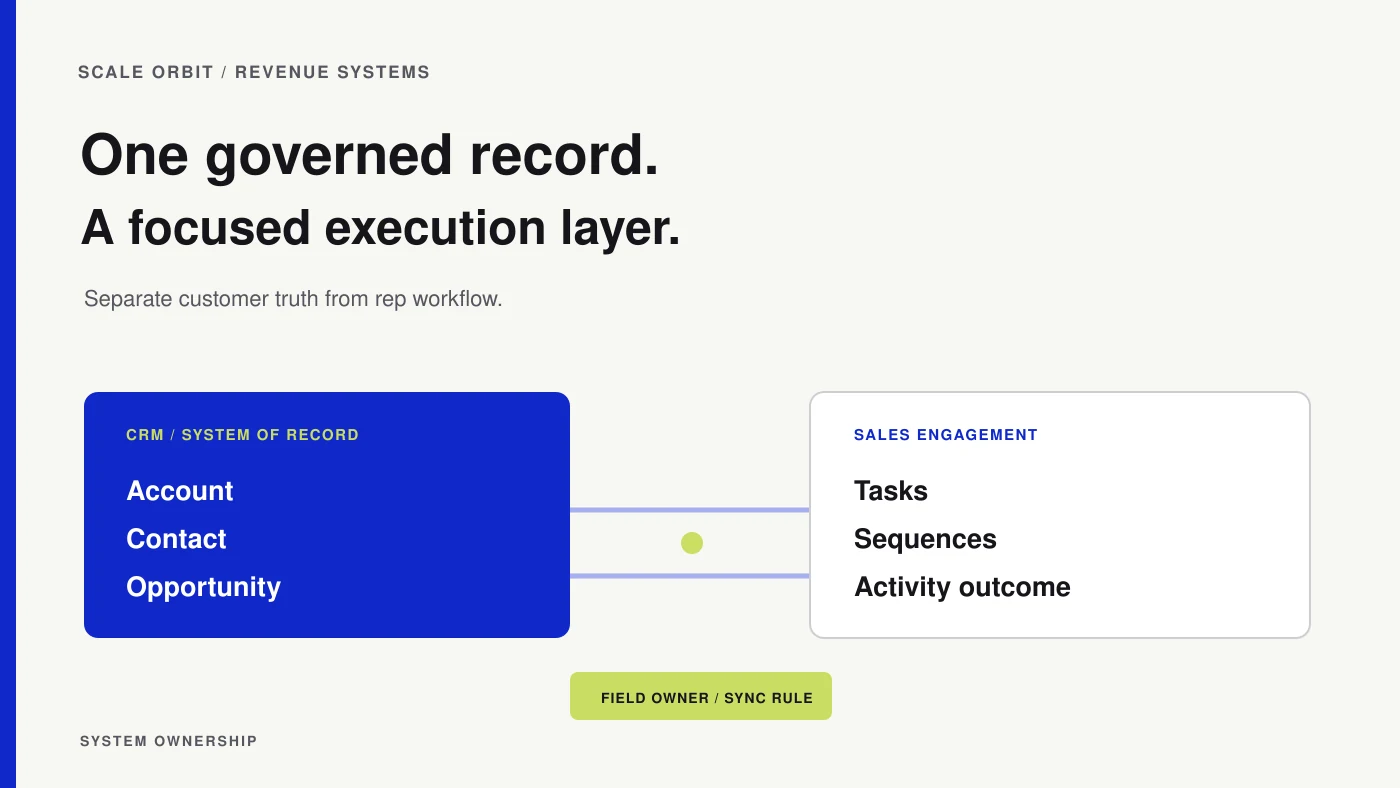
A sales engagement platform and a CRM can both store contacts, log activity, and support sales work. That overlap makes the buying decision harder: teams may add another tool before agreeing which system owns the customer record, the rep’s next action, and the evidence used to report pipeline.
The practical distinction is that the CRM should usually govern customer and opportunity records, while a sales engagement system coordinates repeatable seller activity. Some products combine both capabilities. Compare the actual workflows and data rules, not category labels alone.
Compare the operating jobs
| Work | CRM responsibility | Sales engagement responsibility |
|---|---|---|
| Account and contact record | Maintain agreed identity, ownership, lifecycle, and relationship data | Use the approved records for seller activity; do not create competing identities |
| Opportunity and pipeline | Govern opportunity stages, amounts, owners, and commercial status | Surface relevant activity or signals without becoming a second pipeline ledger |
| Rep workflow | Provide context and record the outcome | Organize tasks, calls, and follow-up sequences according to team policy |
| Communication outcome | Preserve the business-relevant result and relationship context | Record the activity detail needed for execution and review |
| Consent and suppression | Maintain or receive the authoritative preference and exclusion state | Respect current suppression rules before an action is queued or sent |
This is a starting model, not a guarantee about every product. Capabilities, sync behavior, and settings vary. Verify the current documentation and run a test in the products under consideration before purchase.

Decide whether one system is enough
Keep the workflow in the CRM when the team’s needs are straightforward, the native tools support the required tasks, and adding another system would create more administration than value. Consider a separate engagement platform when reps need a distinct activity workspace, managers need specialized execution controls, or the current CRM workflow has a documented limitation that affects daily work.
The business case should name a specific gap, who experiences it, and what evidence would show it is resolved. “More automation” is not a sufficient requirement. If you cannot describe the workflow, the people involved, and the record that should change, you are not ready to select a product.
Set a source of truth for every shared field
Before connecting systems, decide which system controls each important field and what happens when values conflict.
| Data element | Suggested ownership decision | Sync question |
|---|---|---|
| Account, contact, and owner | Select one authoritative record system | How are duplicates and owner changes handled? |
| Sequence or task status | Define the execution system’s role | Which outcomes are written back, and which stay operational detail? |
| Meeting result | Define the CRM field or activity that sales uses | How does a held, missed, or rescheduled meeting affect follow-up? |
| Opportunity stage and amount | Keep the CRM as the governed pipeline record | Can engagement activity change a stage, or only prompt a human review? |
| Suppression or do-not-contact state | Name the approved preference source and responsible owner | How quickly does an exclusion take effect in queued work? |
Create a small integration contract that names the system, field, direction, trigger, owner, and exception path. Avoid two-way sync by default. If both systems can write the same field, decide which value wins and how changes are logged. CRM field governance and audit trails help preserve the reason behind a change.
Test a realistic workflow before committing
Use a short proof of concept based on a real, approved process. Include the cases most likely to break:
- A contact already exists under a different email or account.
- An account owner changes while work is in progress.
- A buyer replies, opts out, or asks for a different contact.
- A meeting is rescheduled or does not happen.
- A record becomes disqualified or enters a protected customer workflow.
- A user corrects a field in the system that does not own it.
Observe how the change moves between systems and what the rep sees next. Confirm that exclusions are respected, activities are attributed to the right record, and automation does not repeat or reverse an action. Document the expected result before testing; otherwise, “it synced” can conceal a broken process.
Measure the workflow, not software activity
Track whether the tool helps the team complete relevant work with accurate context. Useful signals can include task completion, follow-up coverage, record quality, meeting outcomes, and the time needed to correct routing or sync failures. Do not treat emails sent, calls logged, or sequence enrollments as proof of customer interest or pipeline contribution.
Review a sample of records alongside the dashboard. If platform activity rises while sales acceptance, buyer progress, or CRM completeness deteriorates, the team may have optimized the execution layer instead of the commercial outcome.
Avoid the common integration traps
Two systems can produce duplicate records, conflicting owners, stale suppression status, repeated tasks, and reports that count the same interaction differently. These are governance problems as much as connector problems. Establish field ownership, error monitoring, access rules, and an exit process before scaling the connection.
The same principle applies to automation. A rule in one system may trigger another rule in the second, producing repeated updates or outreach. Map the event path, test it with controlled records, and give someone responsibility for reviewing exceptions. The CRM is not automatically the right place for every task, but it should be clear which data and decisions it governs.
If the workflow is mainly sequences and internal execution, compare native CRM options with dedicated engagement tools. The existing guide to HubSpot sequences and workflows addresses a narrower product-workflow choice; this decision concerns system ownership and data flow. For a broader record-keeping foundation, see what CRM software does.
Choose the smallest setup that supports the approved workflow and produces records the team can trust. Add a separate platform only when its value can be tied to a specific execution problem and the integration rules are clear.
How did this article land?
Choose one reaction. You can change it anytime.