

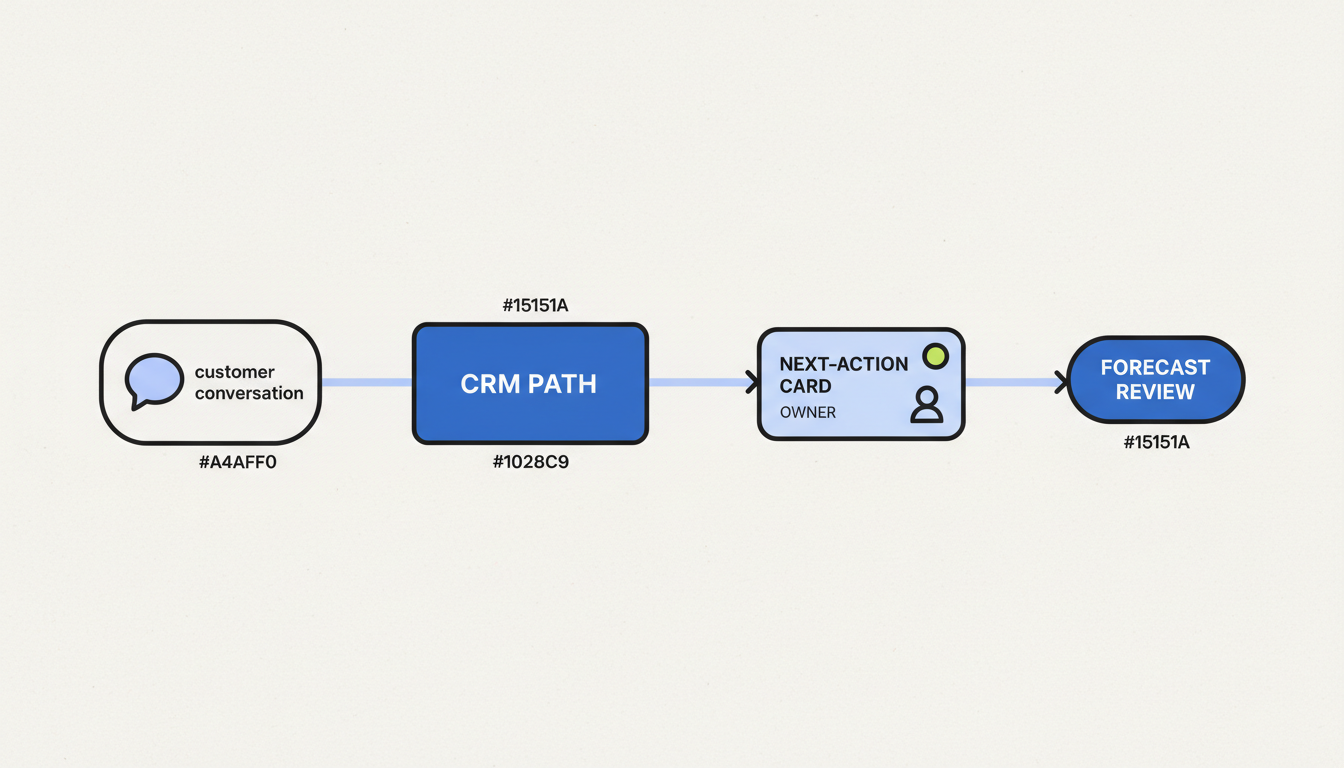
CRM adoption is not the number of logins or the amount of data entered. It is whether the team uses the system at the moments when customer context, next steps, ownership, and pipeline decisions need to be visible. If the CRM creates extra work without helping a rep or manager complete a real task, training alone will not fix the problem.
Treat low usage as an operating problem to diagnose. Find the workflow people avoid, remove unnecessary friction, and make the CRM the easiest reliable place to complete that work. Keep the goal specific: a better follow-up queue, a cleaner handoff, a more useful forecast review, or another defined sales decision.
Start with the work, not the login report
Map one important sales workflow from the customer event to the next internal decision. For a new opportunity, that could include who owns the record, what evidence supports the stage, what the next action is, and when the manager reviews it. Compare what the CRM asks for with what the team actually does.
Look at a small sample of recent records and observe the handoffs. Ask reps to show how they prepare for a customer call, remember follow-up, update an opportunity, and get help from a manager. The gap between the official process and that real sequence is where adoption usually becomes visible.

Diagnose the behavior before prescribing training
| What you observe | Likely friction to investigate | First useful test |
|---|---|---|
| Reps keep follow-up tasks in personal spreadsheets. | The CRM view may not expose the next action, owner, or due date in the order reps need. | Ask a rep to find today’s priority actions using only the CRM. Note each step that requires a workaround. |
| Stages change just before a forecast meeting. | Stage evidence may be unclear, or updates may be too difficult to make during the work. | Trace a few recent stage changes back to the customer event and the rule the rep used. |
| Important fields are blank until a manager asks. | The field may not support a live decision, may be duplicated elsewhere, or may be requested too early. | Ask which decision uses the field and when the information first becomes knowable. |
| Managers request separate spreadsheets for reviews. | The CRM report may not match the meeting’s questions or definitions. | Reconcile one recurring spreadsheet with its CRM source and identify the exact missing view or rule. |
| Reps enter the same detail in several tools. | Integrations or ownership between systems may be unclear. | Follow one record across the tools and identify which system should be authoritative for each field. |
Remove friction in a deliberate order
- Keep only decision-critical requirements. A required field should support a customer action, qualification rule, routing decision, forecast, or report. If nobody can name the decision, reconsider whether the field belongs in the required path.
- Ask for information when it is knowable. Do not require a rep to guess budget, authority, or timing before the buyer has supplied evidence. Use an explicit unknown state when the process needs it.
- Reduce duplicate entry. Decide which system owns each piece of information. Automate predictable transfers only after field meanings and failure handling are clear.
- Make the next action visible. Give each active record an owner, a customer-facing next step, and a due point that the rep can act on without rebuilding a list.
- Return value to the user. Put account context, recent interactions, and manager guidance near the workflow where reps need them. A CRM should help with preparation and follow-up, not only reporting upward.
Design views around a salesperson’s week
A CRM view is useful when it answers a job question quickly: which accounts need a response, which opportunities have no agreed next step, or which records need a manager decision? Group work by the action the user can take, not by every field the administrator can expose.
This is a focused companion to designing CRM views around weekly sales work. For record quality, see CRM hygiene and decision-critical fields. These topics support adoption, but neither a clean database nor a finished implementation guarantees that the workflow is useful to the team.
Illustrative workflow: after a discovery call, a rep records the customer’s next step and due date in the CRM, then copies the same information into a manager spreadsheet. Removing the spreadsheet is not the first move. First confirm which system should own the task, make the CRM queue useful for the rep and the manager, and check that the task retains an owner and due date through the handoff. Only retire the workaround after both users can complete their normal work from the shared record.
Give adoption clear owners
Sales leaders own the expectations for how customer work is done. Frontline managers coach the behaviors and surface blockers. Sales Operations or RevOps owns the process rules, fields, reports, and change queue. CRM administrators implement approved changes and check that automations behave as intended. Reps should have a simple way to report friction, but they should not each invent their own definitions.
For a platform-specific implementation sequence, use the HubSpot CRM implementation checklist. Adoption work begins after the initial configuration too: changes to fields, views, routing, and stages can improve or damage everyday use.
Measure adoption by useful work completed
| Signal | What it can show | How to avoid a misleading read |
|---|---|---|
| Timeliness of updates after a customer event | Whether the CRM reflects sales activity soon enough for handoffs or management decisions. | Compare the same event types and define what counts as the update; avoid treating all delays alike. |
| Completion of critical steps at the right milestone | Whether owners, next steps, and stage evidence are present when decisions depend on them. | Limit the measure to fields with a named decision and an understood point of capture. |
| Use of agreed CRM work queues | Whether reps can complete recurring follow-up without a separate tracker. | Ask whether the queue replaced an actual workaround; page views alone do not prove usefulness. |
| Spreadsheet exceptions | Where the CRM does not yet support the work or where data cannot be trusted. | Record the reason for each exception and fix the underlying cause before banning the spreadsheet. |
| Manager time spent assembling reports | Whether managers can review pipeline from a shared source. | A shorter review is valuable only if decision quality and follow-up remain intact. |
Expand only after the workflow works
Choose one high-value process, agree on its definition, observe how the team completes it, and make the smallest change that removes a confirmed obstacle. Test the revised path with the people who use it, check the records and reports it produces, then decide whether the pattern should extend to another team. This keeps CRM adoption grounded in behavior and evidence instead of a one-time training push.
A useful adoption review ends with three decisions: which friction has been removed, which CRM rule still needs an owner, and what evidence will show that the change helped sales work. If those decisions are unclear, more fields or another training deck are unlikely to solve the underlying problem.
How did this article land?
Choose one reaction. You can change it anytime.